Client accounts in one browser
Switching between different clients’ accounts in one browser mixes up cookies and sessions.
Client social media accounts in separate profiles. Desktop and Android profiles, shared access for the team and profile handover to the client.
Switching between different clients’ accounts in one browser mixes up cookies and sessions.
Some social media features exist only in the mobile app, and there aren’t enough phones to go around.
The project moves to another specialist, and all the access has to be collected again.
An Android profile is real Android in an emulator on your computer. Model, geolocation, network, language and proxy are set per device, and its state syncs like any other profile.
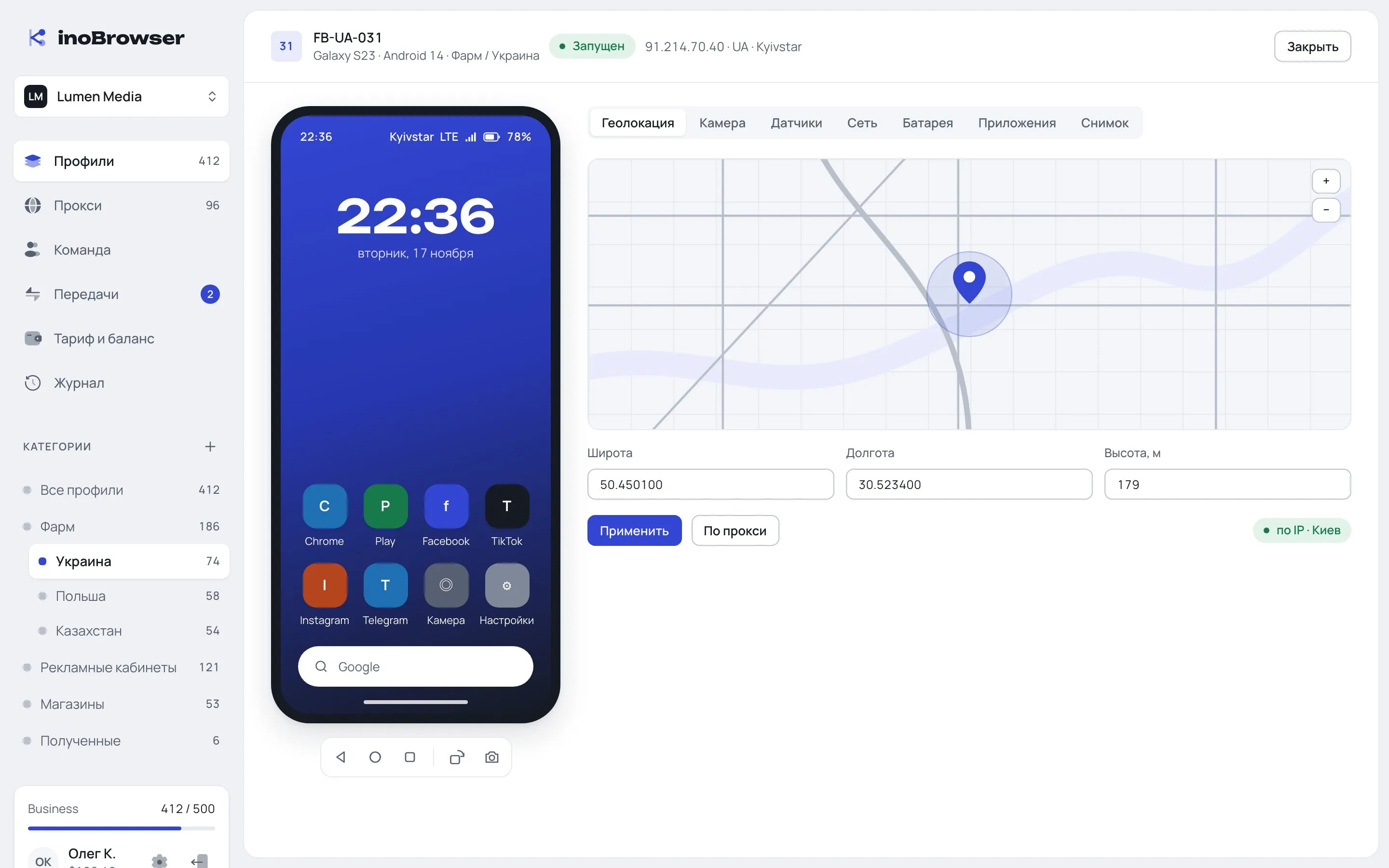
Real Android in an emulator: model, geolocation, network, language and a proxy per device.
Learn moreMembers, teams and Launch, Edit and Manage access levels on categories.
Learn moreLogin, password and 2FA secret are stored encrypted inside the profile.
Learn moreSend profiles and categories to another account with their fingerprint and data folder. From Pro.
Learn moreYour own HTTP, HTTPS and SOCKS5 with checks, or buy in-app: residential, mobile, ISP, IPv4 and IPv6.
Learn moreProfiles are stored on the server in encrypted blocks and open for one person at a time.
Learn moreYes, real Android in an emulator on the user’s computer. The interface labels it as emulation.
Play Integrity doesn’t pass and can’t be faked: banking apps, Google Pay and some marketplaces don’t work in Android profiles.
From Pro, send profiles or a category to the owner’s account ID or email. The client accepts the transfer in Inbox.
Taking turns. While the profile is open for one person, the other is told it’s busy until it is closed and the changes are uploaded.
The proxy is set per profile: your own or one bought in the app. In an Android profile the proxy covers the whole device.